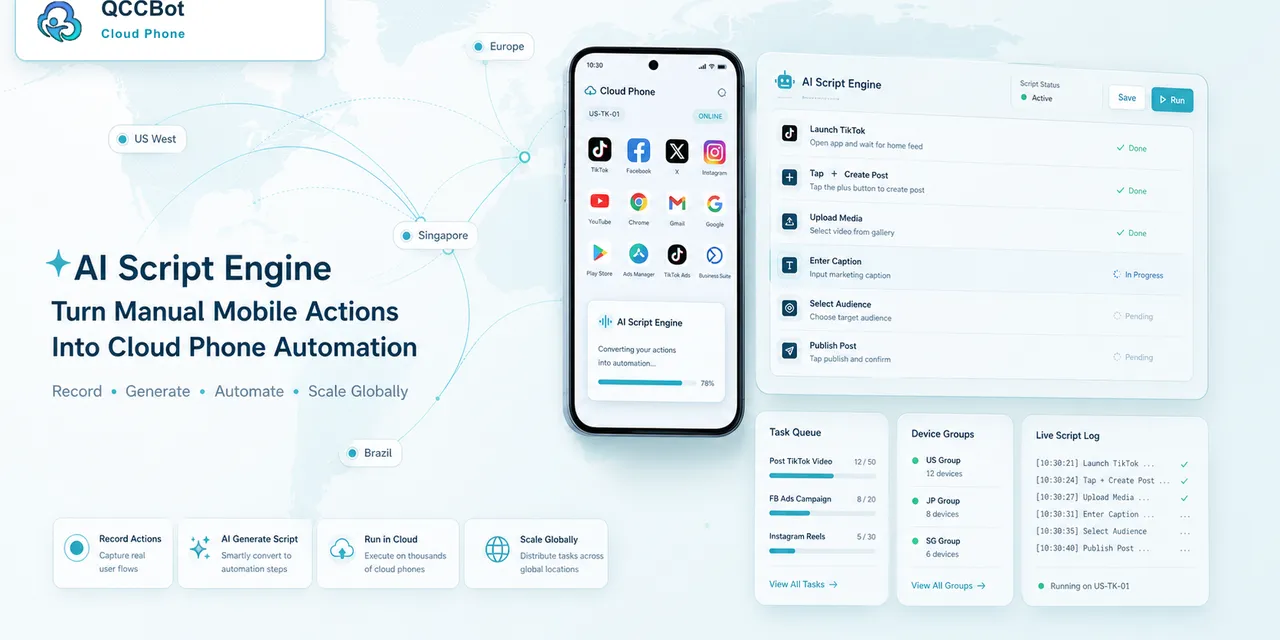
If you are new to cloud phone automation, the word “workflow” can sound bigger than it really is.
You do not need to automate a whole department on day one.
A good first workflow is small, repeatable, easy to verify, and safe to run. The purpose is not to impress anyone. The purpose is to learn how cloud phones, scripts, logs, and exception handling work together.
Pick a task that is boring
The best first automation task is usually boring.
Good examples:
- open an app and confirm the account is logged in;
- check whether the home screen loads;
- clear app cache;
- browse a few screens and record success;
- test whether media upload reaches the preview page;
- check whether a message page opens normally.
Bad first tasks:
- long workflows with many business decisions;
- tasks that involve payment;
- tasks that require frequent human judgment;
- tasks where success is hard to verify;
- tasks that cross too many apps at once.
Boring tasks are easier to debug. That makes them better for learning.
Define success before writing the script
Before building anything, write down what success means.
For example, for an account status check:
- The app opens.
- The account reaches the home page.
- The feed or main screen loads.
- No login page appears.
- No security warning appears.
- The task records a normal status.
If you cannot define success, you cannot reliably automate the task.
Define failure states too
Most beginners only define the happy path.
That is why the first workflow breaks quickly.
List the expected failures:
- app does not open;
- app loads slowly;
- account is logged out;
- permission popup appears;
- network retry screen appears;
- unknown page appears;
- script cannot find the expected button.
This list becomes your first exception plan.
Start with one cloud phone
Do not start with 100 devices.
Start with one.
Run the task manually once and write down the steps. Then create the first script. Then run it again and compare the result.
At this stage, you are not testing scale. You are testing whether the workflow makes sense.
Move from one phone to a small group
After the task works on one device, test it on 3 to 5 cloud phones.
This is where real differences appear:
- one phone may show a permission popup;
- one account may already be logged out;
- one app may load slowly;
- one device may have a different screen state.
Do not treat these as failures of the idea. Treat them as information.
Your workflow is teaching you what exceptions exist.
Add logs early
Logs are not something to add later.
Even a first workflow should record:
- task start;
- current step;
- task success;
- task failure;
- failure reason;
- whether retry happened;
- whether human review is needed.
Without logs, a small test becomes guesswork.
Use AI where it reduces real friction
AI can help in several practical places:
- generating the first AutoJS script from a plain-language task;
- explaining why a script failed;
- suggesting a selector or timing fix;
- identifying whether a screen is a login page or popup;
- helping classify repeated exceptions.
AI should not be used as a license to automate unclear actions. It should help the team move faster while keeping the workflow understandable.
A simple first workflow example
Here is a good beginner workflow:
Goal: Check whether an account is usable.
Steps:
- open the cloud phone;
- launch the target app;
- wait for the main page;
- detect whether the login page appears;
- record normal or abnormal;
- if a popup appears, classify it;
- if the issue is sensitive, mark for human review.
This workflow is small, but it teaches almost everything a team needs: scripting, screen state, logs, exceptions, and review.
When to scale
Scale only after three things are true:
- The success state is clear.
- The common failure states are known.
- The team knows what should be automatic and what should be reviewed.
If those are not true, adding more cloud phones will only multiply confusion.
How QCCBot fits
QCCBot is built for this gradual path.
Teams can use xeasy code AI to generate and debug AutoJS scripts, run them on Android cloud phones, organize devices into groups, review task logs, and enable AI takeover for suitable exceptions.
The best way to start is not a huge automation project. It is one useful mobile task that works, records what happened, and teaches the team how to improve.
If you want to build your first AI cloud phone workflow, QCCBot can help you start with a simple Android app task and grow from there.
When this workflow is a good fit
This workflow is a good fit for cloud phone automation when the task is frequent, repeatable, and easy to judge after it finishes.
Good signs include:
- the same app flow is checked every day;
- many accounts need the same action;
- operators spend time confirming normal states;
- failures are usually popups, loading issues, login state, or UI changes;
- the team needs logs for review.
Poor signs include:
- every run needs a different business decision;
- the flow involves sensitive account choices;
- success cannot be described clearly;
- the process changes every day.
Automation should start where the task is stable enough to measure.
A lightweight maturity model
Teams can grow the workflow in stages:
Stage 1: Run the task manually and write down the steps.
Stage 2: Turn the stable part into a script.
Stage 3: Add logs and failure labels.
Stage 4: Test on a small cloud phone group.
Stage 5: Add controlled recovery for safe exceptions.
Stage 6: Expand to more devices only after the results are easy to review.
This keeps the team from jumping from manual work to an unmanageable fleet overnight.
What QCCBot adds
QCCBot is designed for the middle ground between manual phone checking and fully custom engineering. Teams can run Android cloud phones, generate and debug AutoJS scripts with AI, watch task status, and use controlled exception takeover where it makes sense.
If this sounds like the kind of mobile work your team deals with, QCCBot can help you test the workflow on cloud phones and decide what should be automated first.